By Patricia Dorsey April 7, 2026
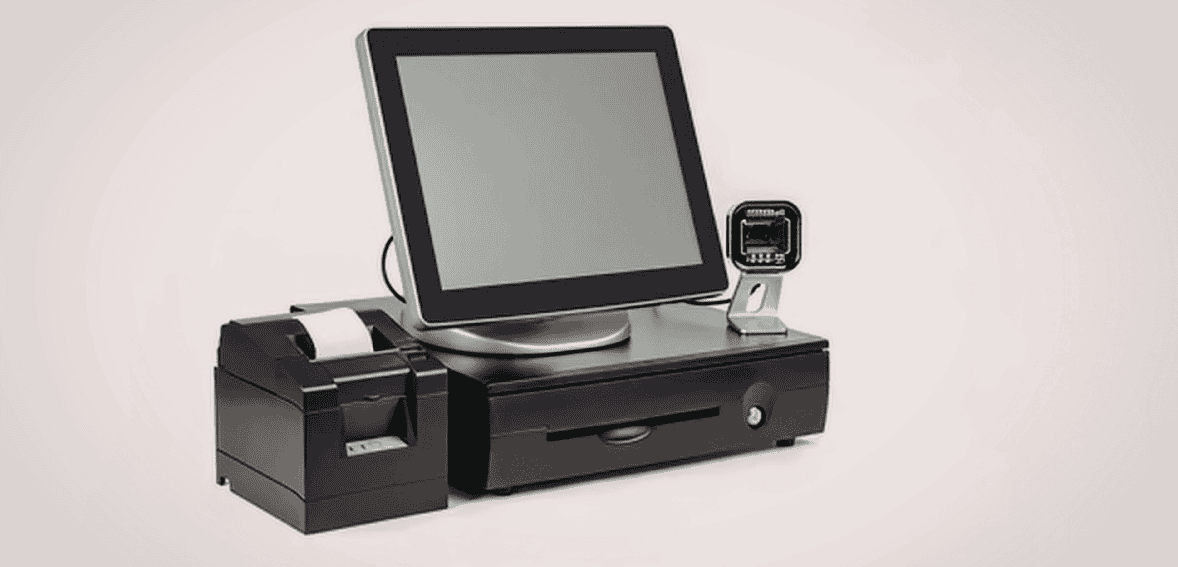
Choosing the right POS hardware is one of the most overlooked decisions businesses make when setting up their point-of-sale environment. Many business owners spend weeks making POS hardware decisions by comparing POS software, but only minutes selecting the physical devices that actually complete transactions. This often leads to slow checkouts, frustrated employees, and unnecessary customer delays.
Receipt printers, barcode scanners, and cash drawers are not just accessories. They are the operational backbone of every transaction. If even one device does not match your checkout workflow, it can slow down your entire operation. A receipt printer that prints slowly, a barcode scanner that struggles to read labels, or a cash drawer that does not open smoothly can create friction during every sale.
For retail stores, restaurants, service businesses, and growing companies, selecting the right POS hardware for retail environments means understanding how your checkout actually functions day to day. The goal is not just to buy equipment. The goal is to create a checkout system that integrates seamlessly with your staff, space, and transaction volume.
This guide explains how to choose receipt printers, barcode scanners, and cash drawers that truly support your checkout flow, what features matter most, what mistakes to avoid, and how to build a reliable POS hardware setup that supports long-term business growth.
Understanding Your Checkout Flow Before Selecting POS Hardware
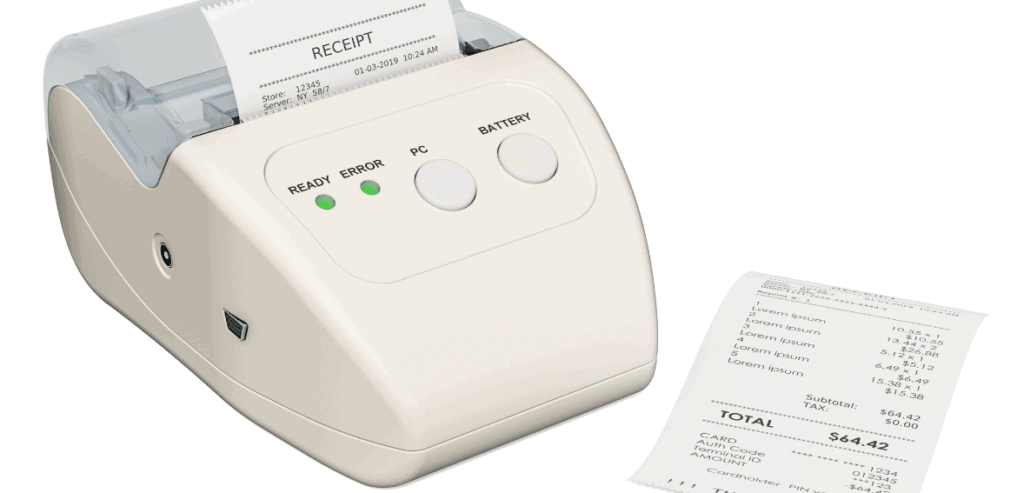
Before choosing any receipt printer, barcode scanner, or cash drawer combination, businesses must first understand how their checkout process actually works. Many hardware problems happen because companies choose devices before evaluating their workflow.
Your checkout flow is simply the sequence of actions that occur during a transaction. A typical retail checkout process includes scanning products, calculating totals, accepting payment, printing receipts, and securely storing cash.
If the hardware does not align with this process, delays naturally occur. For example, if your scanner requires multiple attempts to read barcodes, every transaction becomes slower. If your receipt printer takes too long, customers wait unnecessarily. If your cash drawer does not open automatically, employees must interrupt the workflow.
Understanding your checkout flow helps you choose hardware based on real needs instead of assumptions. Transaction volume, payment types, available counter space, and employee movement patterns all influence what equipment works best.
Businesses should evaluate their daily operations before buying hardware to ensure the equipment supports their actual checkout environment rather than forcing employees to adapt to poorly chosen tools.
Key Factors That Should Influence Your POS Hardware Decisions

Selecting checkout counter hardware requires more than comparing prices. The best decisions come from evaluating operational needs, durability requirements, and integration capabilities.
The most important factor is reliability. Hardware must work consistently under daily usage conditions. A device that occasionally fails can create constant operational disruption.
Speed is another critical consideration. Fast hardware reduces customer wait times and improves employee productivity. Slow equipment increases line congestion and reduces overall efficiency.
Compatibility also plays a major role. Hardware must work smoothly with your POS software. Even high-quality devices can create problems if they do not integrate properly.
Durability is equally important. Commercial POS equipment for small business environments must withstand continuous use. Consumer devices typically fail faster under commercial workloads.
Businesses should also consider support availability. Hardware backed by strong technical support reduces downtime and ensures issues can be resolved quickly.
Essential Hardware Selection Criteria Businesses Should Evaluate
- Operational reliability under daily transaction volume
- Transaction speed and device responsiveness
- POS software compatibility
- Commercial durability ratings
- Warranty and technical support availability
- Ease of installation and configuration
Evaluating these factors helps businesses select POS hardware that improves efficiency instead of creating operational friction.
How to Choose a Receipt Printer That Supports Your Checkout Speed
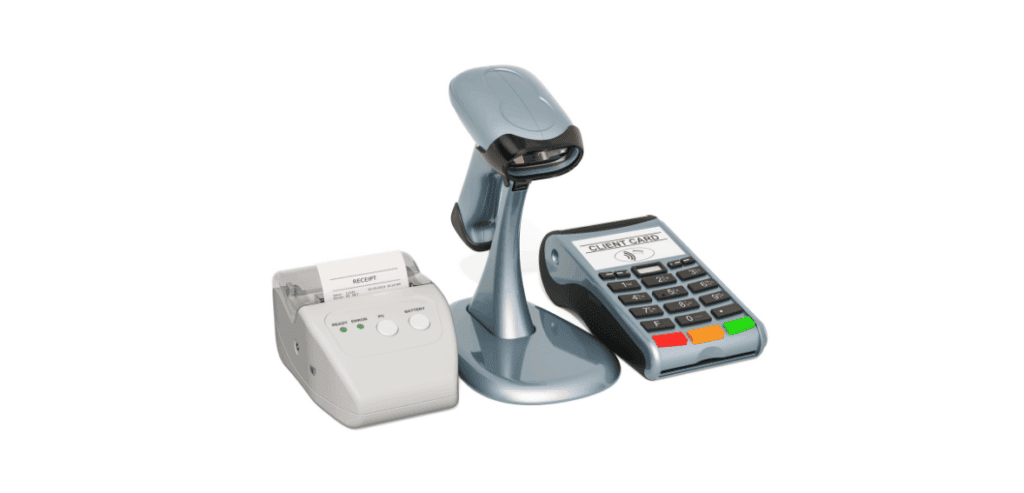
Receipt printers play a direct role in transaction completion speed. Customers often judge checkout efficiency by how quickly transactions finish, and receipt printing is typically the final step.
Thermal printers are the most widely used option because they require no ink, operate quietly, and produce receipts quickly. These printers use heat technology rather than ink cartridges, reducing maintenance requirements.
Impact printers are typically used in environments that require duplicate receipts, such as restaurants or service settings. While durable, they are slower and noisier than thermal printers.
When choosing the best receipt printer for POS environments, businesses should prioritize speed, connectivity, and reliability over initial cost. A faster printer quickly pays for itself through improved efficiency.
Connection type is also important. USB printers work well for single checkout stations. Ethernet printers support multi-terminal environments. Bluetooth printers are useful for mobile checkout setups.
Businesses should also verify that the printer supports standard receipt paper sizes and integrates easily with their POS system.
Receipt Printer Features That Improve Checkout Efficiency
- High print speed to reduce customer wait time
- Auto cutter functionality for faster receipt separation
- Multiple connectivity options
- High duty cycle ratings for commercial usage
- Low-maintenance design
- POS system compatibility verification
Selecting the right printer ensures transactions finish smoothly and consistently without unnecessary interruptions.
Selecting Barcode Scanners That Improve Transaction Accuracy
Barcode scanners directly impact how quickly items move through checkout. Reliable barcode scanners for retail checkout environments allow employees to scan items instantly without repeated attempts.
There are two primary scanner categories businesses should consider. One-dimensional scanners read traditional barcodes. Two-dimensional scanners read both traditional barcodes and QR codes. As mobile payments and digital coupons increase, many businesses now prefer 2D scanners for flexibility.
Scanner form factor also affects workflow. Handheld scanners provide flexibility. Presentation scanners allow hands-free operation. Wireless scanners support mobility but require charging management.
Durability should never be overlooked. Commercial scanners are designed to survive drops and continuous use. Consumer scanners often fail quickly in retail environments.
Scan performance matters as well. Omnidirectional scanning allows employees to scan barcodes from any angle, improving efficiency during busy hours.
Barcode Scanner Capabilities That Matter Most in Retail
- Fast decoding performance
- Ability to read damaged barcodes
- Omnidirectional scanning capability
- Drop resistance ratings
- Wired or wireless flexibility
- Future QR code compatibility
Choosing reliable scanners ensures accurate pricing, faster transactions, and reduced employee frustration.
Choosing a Cash Drawer That Supports Security and Workflow

Cash drawers are often considered simple devices, but they play a major role in both transaction efficiency and financial security. The right POS cash drawer setup improves organization and protects revenue.
Businesses should select drawers based on transaction patterns. Companies handling frequent cash transactions should choose heavy-duty drawers with reinforced construction. Businesses that rely mostly on card payments may choose compact models.
Electronic cash drawers that connect to receipt printers provide workflow advantages. These drawers open automatically after transactions, reducing employee effort.
Security features also matter. Strong locking mechanisms help prevent unauthorized access. Adjustable bill compartments improve organization and speed cash handling.
Build quality determines longevity. Steel construction typically provides the best durability.
Cash Drawer Features That Improve Daily Operations
- Heavy steel construction
- Smooth sliding mechanisms
- Secure locking systems
- Adjustable till configurations
- Printer-driven automatic opening
- Long lifecycle ratings
Choosing a strong cash drawer protects daily cash handling while improving transaction efficiency.
Why Hardware Compatibility Is Critical for Checkout Performance
Many checkout problems occur because businesses purchase devices individually without considering compatibility. This often results in connection failures and workflow interruptions.
Choosing a retail POS hardware bundle often reduces these risks because bundled equipment is typically tested for compatibility.
Integrated hardware environments reduce setup complexity and help businesses avoid technical troubleshooting. When all devices communicate properly, transactions flow naturally.
Hardware integration ensures barcode scans register immediately, receipts print without delay, and cash drawers open automatically when needed.
Businesses should always confirm device and POS software compatibility before purchasing.
Designing a Checkout Counter Layout That Supports Efficiency
Hardware selection should always consider the physical workspace. Checkout counter hardware must fit the available space without restricting employee movement.
Proper layout planning improves transaction flow. Devices should be positioned based on how employees naturally move during checkout.
Scanners should be positioned near where items are placed. Printers should remain within easy reach. Cash drawers should open without obstruction.
Cable management is also important. Poor cable organization creates clutter and increases the risk of equipment damage.
Businesses should measure available counter space before purchasing equipment to avoid overcrowding.
Layout Planning Tips That Improve Checkout Flow
- Measure counter dimensions before purchasing hardware
- Position scanners near product placement areas
- Ensure drawer clearance space
- Plan cable routing carefully
- Allow space for future expansion
- Maintain a clean hardware organization
Good layout planning improves speed, safety, and professionalism.
Common POS Hardware Buying Mistakes Businesses Should Avoid
Many businesses unintentionally create checkout problems by making avoidable hardware mistakes. Understanding these common errors helps companies make better investment decisions.
One of the biggest mistakes is prioritizing price over reliability. Cheap hardware often fails sooner, increasing replacement costs.
Another mistake is ignoring compatibility requirements. Hardware must integrate properly with POS software.
Some businesses purchase consumer devices instead of commercial hardware. Consumer devices rarely withstand heavy transaction volumes.
Ignoring warranty coverage is another risk. Businesses should always choose equipment backed by reliable support.
Hardware Selection Mistakes That Cause Operational Problems
- Choosing low cost instead of reliability
- Ignoring POS compatibility
- Selecting consumer-grade devices
- Failing to verify warranty coverage
- Not planning hardware layout
- Ignoring future business growth
Avoiding these mistakes ensures better long-term performance and fewer disruptions.
How to Future Proof Your POS Hardware Investment
Smart businesses plan hardware investments with long-term use in mind. Technology changes quickly, but selecting flexible devices helps avoid the costs of early replacements.
Future-ready hardware typically includes multiple connection options, firmware update capability, and support for newer barcode formats.
Businesses should consider whether their hardware can adapt to software upgrades and operational growth.
Cloud POS compatibility is another important factor. As more systems move to cloud platforms, hardware must remain compatible.
Future-proofing does not mean buying the most expensive hardware. It means choosing equipment designed for adaptability.
When Businesses Should Consider POS Hardware Bundles
POS hardware bundles provide advantages for many businesses, especially new companies. Bundles simplify purchasing decisions and reduce compatibility concerns.
Bundles typically include matched devices designed to work together. This reduces installation time and the complexity of setup.
Bundles can also offer cost advantages over buying devices separately.
Businesses opening new retail locations often benefit from bundle solutions, which simplify deployment.
How Reliable Hardware Improves Customer Experience
Customers may not notice specific hardware models, but they notice checkout speed. Smooth transactions create positive impressions.
Fast checkout experiences feel professional. Delays create frustration.
Reliable POS equipment for small business environments helps create consistent service quality. Customers value predictability and efficiency.
Every second saved during checkout improves the overall customer experience.
Signs It May Be Time to Upgrade Your POS Hardware
Hardware eventually reaches the end of its useful life. Recognizing upgrade signals helps businesses avoid operational disruption.
Frequent connection failures, slow printing, scanner misreads, and drawer malfunctions all indicate aging hardware.
Increasing repair frequency also suggests replacement may be more cost-effective than continued maintenance.
Warning Signs Your Hardware May Need Replacement
- Frequent transaction delays
- Equipment connection failures
- Rising maintenance costs
- Employee complaints
- Compatibility issues with new POS updates
- Hardware older than five years
Upgrading proactively helps maintain operational efficiency.
The Importance of Warranty and Technical Support
Hardware reliability extends beyond build quality. Support availability matters just as much.
Businesses should prioritize vendors offering strong warranties and accessible support. Reliable support reduces downtime and protects operations.
Technical documentation and setup resources also improve long-term usability.
Choosing hardware backed by dependable support ensures problems can be resolved quickly.
Conclusion
Selecting the right receipt printer, barcode scanner, and cash drawer combination is not simply a purchasing decision. It is an operational strategy that directly affects checkout speed, employee efficiency, and customer satisfaction.
Businesses that evaluate their checkout workflow before selecting hardware make better long-term decisions. Reliability, compatibility, durability, and support should always outweigh price considerations.
The best POS hardware for retail environments runs quietly in the background, allowing employees to focus on customers rather than on equipment issues. When hardware supports the workflow rather than interrupting it, checkout becomes faster, smoother, and more professional.
Investing in the right POS equipment for small businesses helps maintain consistent service quality, reduce operational friction, and support future growth.
Choosing wisely today helps prevent operational problems tomorrow and builds a checkout experience customers trust.
FAQs
What type of receipt printer is most commonly used in retail stores?
Thermal receipt printers are most commonly used because they print quickly, require little maintenance, and do not require ink cartridges.
Are wireless barcode scanners better than wired scanners?
Wireless scanners provide flexibility and mobility, while wired scanners provide consistent connectivity. The best choice depends on your checkout environment.
How long does POS hardware usually last?
Commercial POS hardware typically lasts between three and seven years, depending on usage intensity and build quality.
Should small businesses buy POS hardware separately or as bundles?
Many small businesses benefit from bundles because they reduce compatibility risks and simplify setup.
What is the most important factor when choosing checkout hardware?
Reliability is usually the most important factor because hardware must perform consistently during daily operations.